


Last verified: October 2026. This is a reference page — no products are reviewed here, and it contains no affiliate links. Definitions reflect standard community and manufacturer usage; see the linked deep-dives for full guides.
Every FPV beginner hits the same wall: the hobby speaks a language of acronyms, and nobody hands you the phrasebook. This dictionary is that phrasebook — roughly 90 terms in the order a beginner actually meets them, each with a plain-English definition and the context where you’ll run into it. Start with the 20-term starter set; come back for the rest as the words find you.
The 20 terms to learn this week
If you learn nothing else right now, learn these. They cover about 80% of what beginners read in their first month:
- FPV — First Person View: flying while seeing what the drone sees, live, through goggles. The whole hobby is named after this experience.
- RTF — Ready-To-Fly: a complete kit with drone, radio, and goggles in one box. The beginner path. Where you’ll meet it: every “what should I buy first” thread.
- BNF — Bind-aNd-Fly: the drone arrives assembled, but you supply your own radio and goggles and “bind” them together. Where you’ll meet it: product listings for prebuilt quads.
- Simulator — FPV practice software (Liftoff, VelociDrone, Uncrashed) that teaches stick control with zero crash cost. The universally recommended step one. Where you’ll meet it: every “how do I start” answer ever written.
- Tiny whoop — a palm-sized ducted FPV drone (typically 65–75mm). The recommended first real quad: safe indoors, cheap to crash. Where you’ll meet it: beginner guides, including our tiny whoop guide.
- Acro — the fully manual flight mode: the quad holds its angle only while you hold the stick. No self-leveling. What every serious pilot eventually flies. Where you’ll meet it: simulator settings, “learn acro” advice.
- Angle — the self-leveling beginner flight mode: release the sticks and the quad levels itself. Start here, graduate to Acro. Where you’ll meet it: mode setup in Betaflight.
- Flight controller (FC) — the quad’s brain: a circuit board that reads the gyro sensor and tells the motors what to do, thousands of times per second. Where you’ll meet it: every build list and troubleshooting thread.
- ESC — Electronic Speed Controller: translates the FC’s commands into motor speed. Usually four of them (one per motor), often on a single “4-in-1” board. Where you’ll meet it: stack listings, “ESC desync” troubleshooting.
- VTX — Video TX: the video transmitter that beams the camera feed to your goggles. Where you’ll meet it: “no video” problems, range questions.
- Radio transmitter — the controller in your hands (RadioMaster Boxer, Jumper T-Pro, etc.). FPV pilots call it a “radio,” not a remote. Where you’ll meet it: gear lists, binding guides.
- Goggles — the FPV headset that receives the VTX signal and shows you the live feed. Where you’ll meet it: analog vs digital debates.
- ELRS — ExpressLRS: the dominant open-source radio protocol in 2026 — long range, low latency, cheap receivers. Where you’ll meet it: radio listings (“ELRS version”), our ELRS explainer.
- Bind — pairing your radio to the drone’s receiver so they talk to each other. A one-time setup step per quad. Where you’ll meet it: every new-quad setup.
- LiPo — Lithium Polymer battery: the hobby’s power source. Powerful, light, and genuinely flammable if abused. Where you’ll meet it: battery listings, safety rules.
- 1S — a battery with one cell (3.7V nominal). Whoops fly 1S; 5″ quads fly 4S or 6S. The “S” counts cells in series. Where you’ll meet it: every battery label.
- Failsafe — what the quad does when it loses radio signal: typically it disarms and drops (Betaflight default) or follows a configured behavior. A safety feature, not a malfunction. Where you’ll meet it: “my quad fell out of the sky” threads.
- Betaflight — the free, open-source firmware running on most FPV flight controllers, plus the Configurator app you use to set it up. Where you’ll meet it: setup guides, every tuning discussion.
- Props — propellers. They come in pairs of clockwise (CW) and counter-clockwise (CCW) rotation, and getting them backwards is a classic beginner mistake. Where you’ll meet it: “my quad flips on takeoff” fixes.
- Arm / disarm — “arming” activates the motors (usually a switch on the radio); “disarming” shuts them down. The quad does nothing until armed. Where you’ll meet it: “won’t arm” troubleshooting.
Buying and getting started
RTF — Ready-To-Fly kit: drone + radio + goggles in one box, guaranteed compatible. Buy this as a beginner. Where you’ll meet it: kit roundups like our best beginner kits guide and the RTF Kit Matcher.
BNF — Bind-N-Fly: assembled quad, you supply radio and goggles. Cheaper than RTF only if you already own the other gear. Where you’ll meet it: prebuilt quad listings (iFlight, GEPRC, EMAX).
PNP — Plug-aNd-Play: arrives with no receiver installed — you solder in your own. For builders, not beginners. Where you’ll meet it: advanced product listings; commonly confused with BNF.
ARF — Almost-Ready-to-Fly: partially assembled; you finish the build. Rare in FPV, common in traditional RC planes. Where you’ll meet it: cross-over RC discussions.
AUW — All-Up Weight: the quad’s total flying weight including battery. Matters for the 250g regulatory line. Where you’ll meet it: build specs, sub-250g discussions.
Simulator — practice software that teaches stick control before you risk real hardware. Liftoff, VelociDrone, and Uncrashed are the common picks; 10–20 hours here saves hundreds in crash parts. Where you’ll meet it: step one of the FPV Ladder.
Tiny whoop — palm-sized ducted quad (65–85mm), the standard first real drone. Ducted props make it wall- and furniture-friendly. Where you’ll meet it: beginner recommendations everywhere.
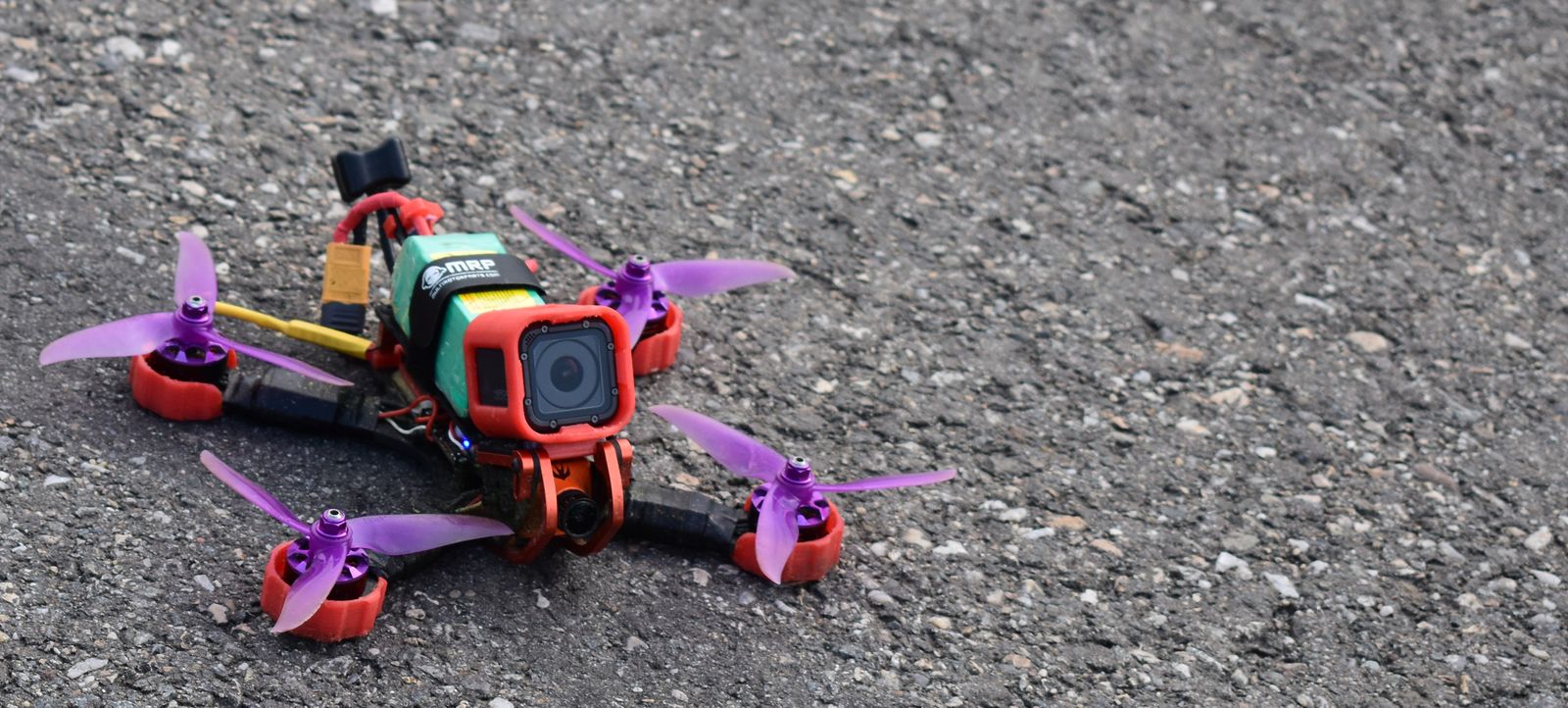
Toothpick — an ultralight 3–4″ quad built on a thin “toothpick” frame. The step between whoop and 5″: faster and more capable, still relatively cheap to crash. Where you’ll meet it: “what after the whoop” threads.
Cinewhoop — a ducted quad (usually 3″) built to carry a small HD camera like a GoPro. For smooth cinematic footage near people and obstacles. Where you’ll meet it: videography-oriented FPV content.
Freestyle — the acrobatic flying style: flips, rolls, dives, proximity flying. What most FPV videos show. Where you’ll meet it: YouTube, “freestyle vs racing” debates.
Racing — timed FPV competition through gates and flags (see MultiGP below). Demands durable, fast 5″ quads. Where you’ll meet it: race event coverage.
5-inch — the standard full-size FPV quad class: ~5″ propellers, 4S/6S batteries, 220mm-ish frames. The “real” quad everything builds toward. Where you’ll meet it: the build-vs-BNF decision guide.
Sub-250g — quads under 250 grams all-up weight. In the US, recreational sub-250g drones skip FAA registration and Remote ID (but TRUST and all flight rules still apply). Where you’ll meet it: drone rules guide, lightweight build discussions.
Flight modes
Acro — full manual mode; the quad rotates exactly as commanded and stays where you leave it. No self-leveling. The end goal of FPV skill. Where you’ll meet it: simulator training, pilot advice.
Angle — self-leveling mode; the quad returns to level when you center the sticks, and stick deflection maps to tilt angle. Learn here first. Where you’ll meet it: beginner mode setup.
Horizon — a hybrid: self-levels near center stick like Angle, but lets you flip and roll at full stick deflection like Acro. A training-wheels mode most pilots outgrow. Where you’ll meet it: Betaflight mode options.
Turtle mode — “flip over after a crash”: a Betaflight mode that reverses specific motors to flip a crashed quad upright without walking to it. Where you’ll meet it: Betaflight Modes tab, crash recovery tips.
Airmode — keeps the PID controller active at zero throttle, so the quad stays controllable during dives and hard maneuvers. Leave it on once you fly Acro. Where you’ll meet it: Betaflight configuration, freestyle tuning.
The quad: frame and electronics
Frame — the carbon-fiber skeleton everything bolts to. 5″ freestyle frames are cheap and replaceable — the frame is a crash consumable, not a precious part. Where you’ll meet it: build lists, “what frame” threads.
Flight controller (FC) — the brain: reads the gyro thousands of times per second and commands the ESCs. Runs Betaflight (or similar firmware). Where you’ll meet it: every electronics discussion.
ESC — Electronic Speed Controller: converts the FC’s commands into actual motor speed. One per motor; most modern builds use a single 4-in-1 board. Where you’ll meet it: stack listings, “desync” issues.
4-in-1 ESC — four ESCs on one board, stacked under the FC as a “stack.” Simpler wiring than four separate ESCs. Where you’ll meet it: modern build guides.
Stack — the FC + 4-in-1 ESC sandwich (usually 20×20mm or 30.5×30.5mm mounting). The electronics core of a build. Where you’ll meet it: build parts lists.
PDB — Power Distribution Board: splits battery power to the ESCs. Mostly obsolete as a separate part — modern 4-in-1 ESCs include it. Where you’ll meet it: older build guides.
Motors (KV) — brushless motors; the KV number means RPM per volt (unloaded). Higher KV = faster spinning, suited to lighter batteries (e.g., high-KV motors for 4S, lower-KV for 6S). Where you’ll meet it: motor listings, 4S-vs-6S debates.
Props — propellers, sized as diameter × pitch in inches (e.g., 5×4.3). Come in CW/CCW pairs; wrong direction = instant flip on takeoff. Where you’ll meet it: every prop listing, crash-bag stocking.
VTX — video transmitter: sends the camera feed to your goggles. Power is adjustable (25mW for indoor/racing compliance, up to 600mW+ for long range) — more power isn’t always better; it creates heat and interference. Where you’ll meet it: range problems, race-day power limits.
Camera — the tiny FPV camera (separate from any HD recording camera). Analog cameras are cheap and low-latency; digital systems integrate the camera with the VTX. Where you’ll meet it: analog vs digital system choices.
Buzzer — a loud beeper for finding a crashed quad in grass. Also plays startup tones that double as diagnostics. Where you’ll meet it: lost-quad recovery, “what do the beeps mean.”
Receiver (RX) — the small board (or built-in chip) that receives your radio’s signal. Must match your radio’s protocol (ELRS receiver for an ELRS radio). Where you’ll meet it: bind procedures, protocol choices.
Capacitor — the little can soldered across the battery pads that smooths electrical noise. Cheap insurance against video noise and ESC damage. Where you’ll meet it: build guides, “add a capacitor” advice.
Antenna (pigtail / SMA / U.FL) — the VTX and receiver antennas; SMA is the chunky screw connector, U.FL is the tiny snap connector on whoops. Never power a VTX without its antenna attached — it can burn out in seconds. Where you’ll meet it: antenna upgrade threads, the #1 “no video” cause.
The radio link
Radio transmitter — the handheld controller. FPV radios (RadioMaster, Jumper, FrSky) have precise gimbals and run open firmware like EdgeTX. Where you’ll meet it: every gear list.
Gimbal — the stick assembly inside the radio. Hall-sensor gimbals (magnetic, no physical contact) last longer and feel more precise than potentiometer gimbals. Where you’ll meet it: radio reviews, “which radio” threads.
ELRS — ExpressLRS: the dominant open-source long-range radio protocol in 2026. Known for excellent range, low latency, and cheap receivers. Our ELRS explainer covers it in depth. Where you’ll meet it: radio/receiver listings, protocol debates.
FrSky — the older dominant RC protocol (ACCST/ACCESS). Still common on legacy gear but largely superseded by ELRS for new FPV builds. Where you’ll meet it: used-gear listings.
Crossfire — TBS Crossfire: the premium long-range protocol that dominated before ELRS. Still excellent, but ELRS matched it at a fraction of the price. Where you’ll meet it: long-range builds, older recommendations.
Bind — the pairing process between radio and receiver. Usually: put receiver in bind mode, activate bind on the radio, confirm the link. Where you’ll meet it: every new quad or new radio setup.
Failsafe — the quad’s programmed response to losing radio signal. Betaflight’s default: disarm and drop. Configurable to other behaviors, but “drop” is the safe default near people. Where you’ll meet it: safety setup, “it fell from the sky” diagnoses.
Rates — how fast the quad rotates for a given stick movement, set per axis in Betaflight. Higher rates = twitchier, more acrobatic. Where you’ll meet it: tuning discussions, “my quad feels sluggish/twitchy.”
Expo — softens stick response near center for fine control while keeping full deflection aggressive. Rates set the maximum; expo shapes the curve getting there. Where you’ll meet it: always mentioned alongside rates, often confused with them.
Arming switch — the radio switch assigned to arm/disarm the motors. Standard safety practice: motors can’t spin until you deliberately flip it. Where you’ll meet it: radio setup, pre-flight checks.
Telemetry — data sent back from quad to radio: battery voltage, signal strength, GPS coordinates. Your radio can call out “low battery” warnings. Where you’ll meet it: radio setup, battery management.
Packet rate — how many control packets per second the radio link sends (ELRS options include 50Hz up to 500Hz+). Higher = lower latency but shorter range; 250Hz-ish suits most flying. Where you’ll meet it: ELRS configuration.
Model match — an ELRS/Betaflight feature tying a receiver to a specific radio model slot, preventing you from flying the wrong quad with the wrong settings. Where you’ll meet it: multi-quad radio setup.
The video system
Analog — the traditional FPV video system: cheap, universal, lowest latency, but with static-filled, standard-definition image quality. Still the default for racing and whoops. Where you’ll meet it: budget gear, race events.
Digital HD — high-definition FPV video systems with dramatically clearer images at the cost of higher price and slightly more latency. Three main ecosystems below. Where you’ll meet it: the goggles and video system guide.
DJI O3 / O4 — DJI’s digital FPV system (O3 Air Unit, newer O4): the image-quality leader, widely used in BNF cinewhoops and freestyle quads. Where you’ll meet it: digital BNF listings.
Walksnail — the mid-priced digital ecosystem (Avatar system): strong image quality below DJI’s price, popular with freestyle pilots. Where you’ll meet it: digital build discussions.
HDZero — the digital system optimized for lowest latency rather than prettiest image: the racer’s digital choice. Where you’ll meet it: racing-focused digital discussions.
Latency — the delay between the camera seeing something and your goggles showing it. Analog is ~20ms; digital systems run higher. Low latency is why racers stay analog. Where you’ll meet it: analog-vs-digital debates.
Goggles (box vs binocular) — box goggles use one big screen (cheaper, bulkier); binocular goggles use two small screens with better optics (compact, pricier). Where you’ll meet it: goggle buying decisions.
DVR — Digital Video Recorder: records the goggle feed to SD card. Every crash and every great flight, saved automatically. Where you’ll meet it: goggle features, flight footage.
Channel / band (Raceband) — video frequencies are organized into bands (A, B, E, F, R) of 8 channels each. Raceband is the standardized set used at races to minimize interference between pilots. Where you’ll meet it: “no video” fixes, race-day frequency assignment.
RHCP / LHCP — Right/Left Hand Circular Polarization: the two antenna polarization standards. Your VTX and goggle antennas must match — RHCP with RHCP — or range collapses. Where you’ll meet it: antenna listings, range troubleshooting.
Patch antenna — a flat, directional goggle antenna with high gain straight ahead: great for distance in one direction, blind behind you. Where you’ll meet it: long-range antenna setups.
Omni antenna — a standard omnidirectional antenna receiving equally in all directions. The default; pair one omni with one patch for the best of both. Where you’ll meet it: goggle antenna advice.
Pit mode — a VTX setting that transmits at near-zero power for bench testing without blasting interference across the flying field. Where you’ll meet it: race-day etiquette, bench setup.
SmartAudio / IRC Tramp — protocols letting you change VTX channel and power from your radio or Betaflight OSD instead of pushing a tiny button on the quad. Where you’ll meet it: VTX setup.
Batteries and power
LiPo — lithium-polymer: energy-dense, lightweight, and capable of catching fire if punctured, overcharged, or over-discharged. Respect the rules and they’re safe; ignore them and they aren’t. Where you’ll meet it: our batteries and chargers guide.
1S–6S — cell count in series: 1S = 3.7V nominal (whoops), 4S = 14.8V and 6S = 22.2V (5″ quads). More cells = more power and speed. Where you’ll meet it: every battery and motor listing.
mAh — milliamp-hours: capacity. A 300mAh 1S pack vs a 1300mAh 6S pack — bigger number, longer flight, but also more weight. Where you’ll meet it: battery labels.
C-rating — the claimed maximum discharge rate (capacity × C = max amps). Treat manufacturer C-ratings skeptically — they’re marketing-influenced and not standardized. Higher real C-rating matters most for aggressive 5″ flying. Where you’ll meet it: battery listings, “which battery” threads.
LiHV — Lithium High Voltage: LiPo chemistry charged to 4.35V/cell instead of 4.20V, for a bit more capacity. Common in whoop batteries. Never charge a standard LiPo to LiHV voltage. Where you’ll meet it: whoop battery listings, our whoop battery guide.
Voltage sag — the temporary voltage drop under heavy throttle. Old or overworked packs sag hard, triggering premature low-battery warnings. Where you’ll meet it: “my quad falls from the sky at full throttle” diagnoses.
Balance lead — the small white multi-wire plug on multi-cell packs that lets the charger monitor each cell individually. Always balance-charge. Where you’ll meet it: charger setup.
XT60 — the yellow high-current battery connector standard on 5″ quads (XT30 on smaller builds). Where you’ll meet it: 5″ battery and charger listings.
PH2.0 — the tiny white battery connector on many whoops. Functional but higher resistance than BT2.0. Where you’ll meet it: whoop battery listings.
BT2.0 — BetaFPV’s improved whoop connector: lower resistance, more power to the motors. Match your whoop’s plug — adapters exist but native is better. Where you’ll meet it: modern whoop listings.
Storage charge — charging/discharging LiPos to ~3.8V/cell for storage. Storing packs full or empty degrades them fast. Where you’ll meet it: battery care guides.
Puffed pack — a swollen LiPo: a damaged, dangerous battery. Retire it (discharge fully in salt water or with a discharger, then recycle at a battery drop-off). Never fly a puffy pack. Where you’ll meet it: battery safety discussions.
Parallel charging — charging multiple same-cell-count packs together on one charger output. Faster, but with real risks if packs are at different voltages — a debated practice; beginners should charge packs individually until they understand it. Where you’ll meet it: charger threads, safety debates.
Software and setup
Betaflight — the open-source flight-controller firmware most FPV quads run. Free, community-developed, extremely capable. Where you’ll meet it: everywhere.
Configurator — the Betaflight Configurator app (computer or phone) used to set up modes, rates, receiver, and OSD. Where you’ll meet it: every setup guide.
CLI — the Command Line Interface inside the Configurator: a text console for advanced commands (like status, which reveals why a quad won’t arm). Where you’ll meet it: troubleshooting guides.
OSD — On-Screen Display: flight data overlaid on the goggle feed — battery voltage, flight time, warnings. Where you’ll meet it: goggle setup, “OSD not showing” fixes.
Blackbox — onboard flight-data logging for diagnosing tuning and performance issues. The “flight recorder” of FPV. Where you’ll meet it: advanced tuning.
Firmware — the software on the FC, ESCs, and radio. Updated periodically; mismatched versions between components cause real problems. Where you’ll meet it: “update your firmware” advice.
Flashing — installing firmware onto a component. Occasionally necessary, occasionally the cause of the problem you’re fixing. Where you’ll meet it: setup and repair guides.
PID tuning — adjusting the control-loop gains (Proportional, Integral, Derivative) that keep the quad stable. Stock Betaflight tunes fly great in 2026 — beginners should not touch PIDs. Where you’ll meet it: tuning threads (which beginners should read, not follow).
Arming — activating the motors via a radio switch. A quad that “won’t arm” is telling you something is wrong — check the Configurator’s arming-disable flags. Where you’ll meet it: the #1 beginner problem, covered in our troubleshooting hub.
Modes tab — the Configurator screen where switches are assigned to functions (arm, angle/acro, beeper, turtle mode). Where you’ll meet it: radio setup.
Failsafe settings — the configurable response to signal loss (drop, land, or GPS rescue on equipped quads). Verify yours before the first flight of any new build. Where you’ll meet it: pre-flight checklists.
Community, places, and flying
MultiGP — the global FPV racing league: local chapters, standardized tracks, and the easiest way to find organized racing near you. Where you’ll meet it: “where do I race” questions.
Bando — slang for an abandoned building/area flown as an FPV spot. (Get permission; “abandoned” doesn’t mean “legal to fly.”) Where you’ll meet it: freestyle videos, spot discussions.
Spot — any flying location. Good spots have space, minimal people, and no airspace restrictions. Where you’ll meet it: local group chats.
LOS — Line of Sight: flying by watching the drone with your eyes instead of goggles. A useful skill and a regulatory concept. Where you’ll meet it: regulation discussions.
Visual observer — the spotter who watches the drone with naked eyes while you fly FPV. Required by FAA rules for recreational FPV flight in the US. Where you’ll meet it: the rules, club flying.
Regulations (US — verified October 2026)
TRUST — The Recreational UAS Safety Test: the free, one-time online safety quiz every US recreational flyer must pass, regardless of drone weight. Where you’ll meet it: before your first flight — faa.gov.
Remote ID — the requirement that registered drones broadcast identification (like a digital license plate). Tied to registration: recreational sub-250g drones are exempt; heavier ones need it via built-in capability, a broadcast module, or a FRIA. Where you’ll meet it: 5″ quad purchases.
FRIA — FAA-Recognized Identification Area: designated flying sites (often club fields) where Remote ID isn’t required. Where you’ll meet it: club field listings.
Registration — US recreational drones at or over 250g must be registered with the FAA ($5, covers all your recreational drones for 3 years, number displayed on the aircraft). Where you’ll meet it: before flying any 5″ quad — FAADroneZone.
Part 107 — the FAA certification required for any commercial drone work (paid photos, inspections). Not needed for pure recreation, but the line is strict: any compensation = Part 107. Where you’ll meet it: “can I make money with my drone” questions.
Rules change — verify current requirements at faa.gov/uas before flying. This page was last checked October 2026.
Ten confusions, cleared up
FPV ≠ a camera drone with a phone app. True FPV means a live, low-latency video link to goggles — not a Wi-Fi preview with half a second of lag.
BNF ≠ PNP. BNF includes the receiver (just bind your radio); PNP has no receiver at all (you install one).
Rates ≠ expo. Rates set how fast the quad can rotate; expo shapes how the sticks feel getting there. You tune both, for different reasons.
Failsafe ≠ disarming. Disarming is you deliberately shutting down motors. Failsafe is the quad’s automatic response to losing your signal.
Digital ≠ automatically better. Digital wins on image quality; analog still wins on price, latency, and race-day compatibility. The right system depends on what you fly.
RTF ≠ batteries included. Most RTF kits include one battery; building a real flight session means buying more packs and a charger separately.
C-rating ≠ a quality guarantee. C-ratings aren’t independently standardized — treat them as rough marketing numbers, not lab measurements.
5-inch ≠ beginner quad. A 5″ quad is fast, heavy, and expensive to crash. It’s the destination, not the starting line — see the FPV Ladder.
Analog ≠ obsolete. Analog remains the standard for racing, whoops, and budget builds in 2026 — it’s mature, not dead.
Sub-250g ≠ no rules. Skipping registration doesn’t skip TRUST, the 400ft limit, airspace rules, or the visual-observer requirement for FPV.
Missing a term? The fastest way to learn FPV vocabulary is context — work through the FPV Ladder and click through when jargon appears. Found this dictionary useful? It’s built to be linked — forum helpers and Discord mods are welcome to point newcomers here.
